파이썬 zlib 라이브러리의 crc32 함수를 추가(import)하면 IHDR 청크의 CRC값을 이용하여 width 값과 height 값을 다음과 같이 구할 수 있다.
| from zlib import crc32 file_name = input('파일 이름 입력: ') data = open(file_name, 'rb').read() index = 12 IHDR = bytearray(data[index:index + 17]) width_index = 7 height_index = 11 target_crc = input('CRC 값 입력: ') target_crc = int(target_crc, 16) # target_crc = 0x3CFA9C16 for width in range(1, 2000): width_bytes = bytearray(width.to_bytes(2, 'big')) for height in range(1, 2000): height_bytes = bytearray(height.to_bytes(2, 'big')) for i in range(len(height_bytes)): IHDR[height_index - i] = height_bytes[-i - 1] for i in range(len(width_bytes)): IHDR[width_index - i] = width_bytes[-i - 1] current_crc = crc32(IHDR) & 0xFFFFFFFF if current_crc == target_crc: print("width: {}, height: {}" .format(hex(width)[2:].upper(), hex(height)[2:].upper())) break else: continue break |
단, 입력하는 파일은 파이썬 프로그램과 같은 디렉토리(directory)에 있어야 한다.
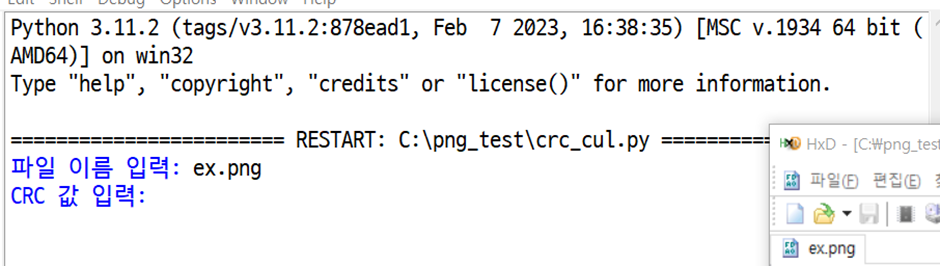
위의 파이썬 코드를 실행시키고 같은 디렉토리 안에 위치한 파일 이름을 입력한다.

그리고 HEX editor로 확인한 IHDR chunk의 CRC 값을 입력하면
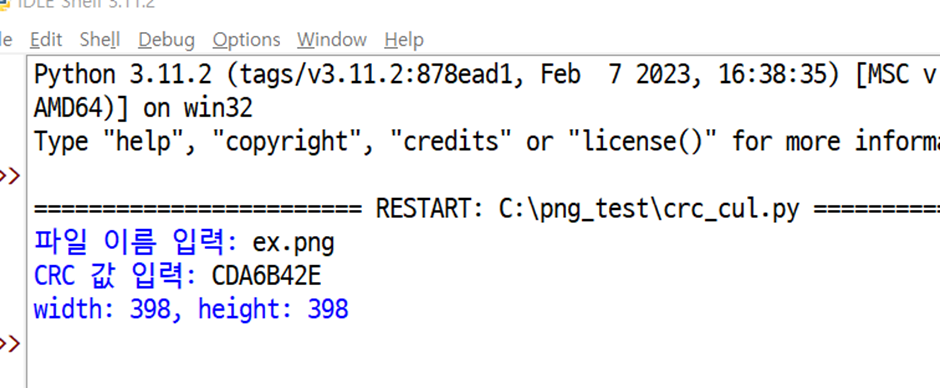
위와 같이 PNG 파일의 width와 height를 16진수 값으로 구할 수 있다.
구한 값을 HEX editor로 확인해보면

'사진4'와 같이 일치한다.
이러한 Python 코드를 이용하여 CRC 값을 활용하여 PNG 파일의 width와 hieght을 구한 값으로 수정한 뒤 파일의 원본 데이터를 확인할 수 있다.
Reference
Python 코드 수정 전 원본:
GitHub - W3rni0/RACTF_2020: Writeup for the challenges in Really Awesome CTF 2020
'Digital_forensic > File_format' 카테고리의 다른 글
| PNG file structure analysis (1) | 2024.01.25 |
|---|---|
| PNG file structure (1) | 2024.01.25 |
| 파일 시그니처(File Signature) (0) | 2024.01.25 |